


Weather - Meteored Pro News
4.6978.00 Reviews
App Specs
- Version
- 8.10.0_pro
- Updated On
- License
- $29.99
- Downloads
- 100,000+
- Developer
- Meteored
- Categories
- Weather
- Platform
- Android
Screenshots
 Analysis by AppCompare
Ever been caught in the rain without an umbrella or wished you’d packed a lighter jacket because it turned out to be a scorcher? I feel you. Enter Weather - Meteored Pro News, your new weather sidekick, ready to keep you ahead of Mother Nature’s whims. I’ve been playing around with it, and I’m here to give you the full scoop on what it's all about.
What Makes a Strong First Impression
For the first few days, the appeal of a weather app is simple: open it, check what the sky is doing, and decide what to wear or carry. Meteored is a weather app from developer Meteored, and its hourly forecasts, radar, alerts, and weather coverage give me several ways to check before making plans. The current conditions are useful for quick decisions, while the forecast helps when I need to think beyond the next hour.
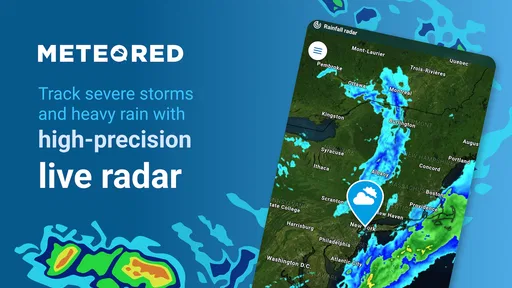
A realistic routine is checking the forecast before leaving home, then looking again before an outdoor errand or a walk. If rain appears possible, I can use the radar view to get a sense of whether weather is approaching or already nearby. That is more helpful than treating a single icon as a promise. A forecast is guidance, not a guarantee, so I would still leave a little room for changing conditions when timing matters.
With an average rating of 4.6 from around 46,000 ratings, the app has attracted a substantial audience. That is useful context, but it does not tell me whether its forecast will suit every location or routine. The best test is whether the information I regularly check is easy to reach and helps me make better everyday decisions.
Checking the Weather Just Got Personal
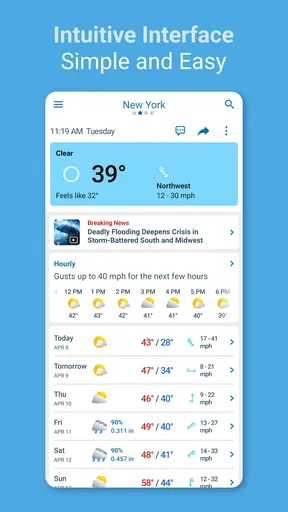
First things first, let’s talk about how Weather - Meteored Pro News looks and feels. The app has a slick, intuitive design that feels like it was made just for you. You know that feeling when you walk into a room and everything just makes sense? That’s what this app feels like. The colors are easy on the eyes, and the layout? Super user-friendly. Even your grandma could navigate it without calling you for help.
Upon opening the app, you’re greeted with a neat overview of the current weather conditions right where you are. Temperature, humidity, wind speed – it’s all there in a glance. And if you’re planning a trip or just curious about the weather elsewhere, you can easily swipe through different locations. It’s like having a global weather station in your pocket.
Features That Make It Shine
Here’s where Weather - Meteored Pro News really starts to stand out. It’s not just about telling you if you need a jacket; it’s packed with features that make it a weather aficionado's dream:
Worth Reading Before You Choose

EA SPORTS FC Mobile 26 Is a Bigger Football Game, but It Takes Time

Flipboard Shows What News Apps Must Do Beyond the Feed

Switching to Android Auto Means Rethinking Your Driving Routine

Google Calendar Makes a Crowded Week Easier to Manage

Ludo King Makes the Most of the Minutes Between Plans

Baby Panda World Brings Quick Play to Modern Phones, but Its Game Library Feels Busy
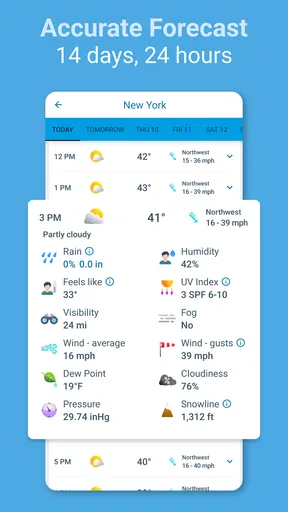
- Detailed Forecasts: You get hourly updates and a 14-day forecast that’s surprisingly accurate. It’s like having a crystal ball for the weather.
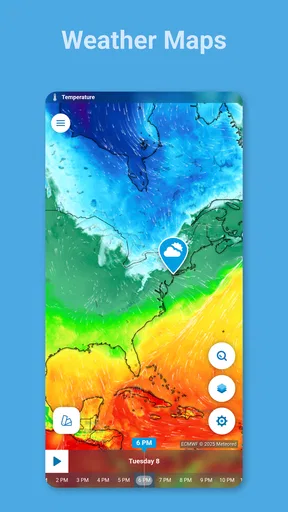
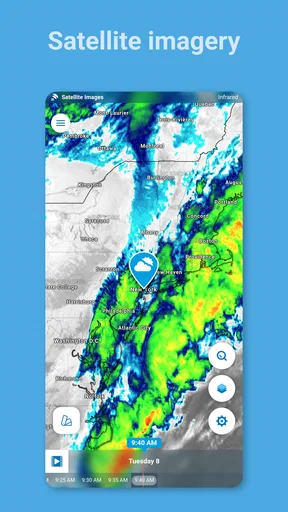
- Radar and Satellite Maps: Ever wanted to feel like a meteorologist? These maps let you track storms and weather patterns in real-time.
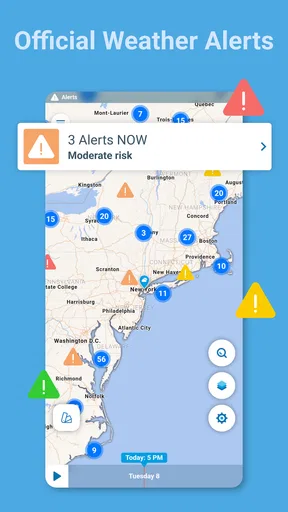
- Weather Alerts: Get notified of severe weather conditions with alerts that keep you ahead of the game. No more getting caught off guard.
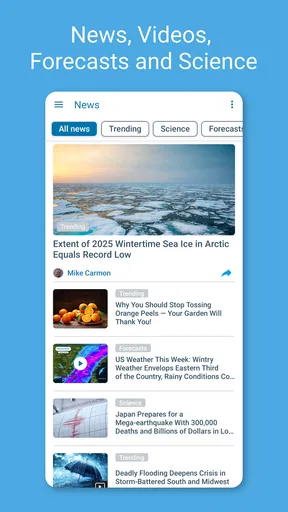
- News and Articles: Stay informed with weather-related news and articles. It’s like having a weather magazine at your fingertips.
Making the Forecast Useful Beyond a Quick Check
The most useful habit I can build around a forecast is to check the timing, not just the headline condition. If the day is expected to change, an hourly view can help me decide whether to take a long walk in the morning or move it later. For a trip, I would check both the destination and the route’s general weather rather than assuming the conditions at home will carry over. Keeping a few relevant locations available makes that comparison quicker than repeatedly searching from scratch.
Radar is best treated as a decision aid for near-term plans, not as a perfect prediction of exactly when rain will hit my street. I find it more valuable for answering, “Is this weather moving toward me?” than for choosing a precise departure minute. That distinction matters if I have an appointment or need to walk somewhere: I can use the map to judge whether carrying a light rain layer is sensible, while keeping a backup plan if the weather shifts.
For severe conditions, alerts are most useful when they support a plan I have already thought through. I would check the alert, then look at the forecast and radar before deciding whether an outdoor activity should continue. A notification can prompt me to pay attention, but it cannot make the decision on my behalf. If the weather could create a safety risk, local official guidance should take priority over an app’s general forecast.
Why It’s Worth Your Time
So, why should you give this app a shot? Well, aside from being a super reliable source for weather info, it’s also incredibly customizable. You can tweak it to show the metrics that matter to you most, whether that’s wind chill, UV index, or pollen count. It’s all about making your life easier, and who doesn’t want a little more ease?
Another thing I love is how smoothly everything runs. No lagging or freezing up when you need that crucial update. It’s all seamless, which is exactly what you want when you’re trying to check if you should bring a raincoat.
How It Fits Beside Other Weather Options
Compared with relying only on a phone’s built-in weather screen, Meteored gives me more ways to explore what may happen: radar, hourly detail, weather news, and alerts sit alongside the basic conditions. That extra depth can be worthwhile if I plan around outdoor work, commuting, or changing weather. If I only need a quick temperature glance, though, a built-in app may already do the job with fewer screens and no reason to change my routine.
It also serves a different purpose from a dedicated local warning service. A broad forecast app is convenient for everyday planning, but for urgent hazards I would consult the official source responsible for my area. I see Meteored as a practical companion for checking conditions and following weather developments, not as a replacement for local emergency instructions or specialist advice.
Month-to-Month Value and the Cost of Keeping It
The app earns lasting space only if I keep using its extra detail after the first week. For someone who regularly checks the weather before cycling, walking a dog, gardening, or travelling between places, radar and hourly forecasts can become part of a dependable routine. If the weather rarely affects a person’s decisions, those features may feel unnecessary once the novelty wears off.
There is also a meaningful purchase decision here: Meteored Pro costs $29.99. I would weigh that against how often I use its advanced views and whether they solve a real planning problem for me. Someone who opens a weather app once each morning for the temperature may be better served by a simpler option. Someone who checks several times a day and actively uses radar or alerts may find the richer toolkit more compelling.
The app is rated for Everyone, and its current version is 8.10.0_pro, with Android 8.0 as the minimum operating system. It has been available since November 2, 2015, and has over 100,000 installs. Those details may help with basic compatibility and context, but they do not decide whether it is a good fit: the useful question is whether its forecasts and tools match the way I plan my days.
Keeping the Habit Without Letting It Become a Chore
I would keep the routine deliberately small: check the current conditions in the morning, use the hourly forecast when the day involves a time-sensitive outdoor plan, and open radar only when changing weather makes it useful. That avoids turning every passing cloud into a reason to refresh the app. A weather tool should reduce uncertainty, not add another stream of updates to manage.
Location choices are worth keeping tidy. If I follow a place I no longer visit, it adds clutter rather than value; a short list of home, work, and a frequently visited destination is easier to scan. When travelling, checking the destination ahead of time can help with packing, but I would check again closer to departure because forecasts can change. This simple workflow makes location switching practical instead of turning it into a collection of places I never open.
Where the Extra Detail Can Become Too Much
More information is not automatically better. Hourly forecasts, maps, alerts, and articles offer different angles, but someone who wants only a quick answer may find that extra choice slows down the simplest task. My advice is to decide which two or three views actually influence your plans and make those the regular ones; the rest can stay optional rather than becoming a daily obligation.
Forecast confidence also depends on place and timing. A broad outlook is more useful for shaping plans than promising exact conditions at a precise spot far ahead. I would be cautious about treating a long-range forecast as fixed, and I would avoid making an expensive or safety-critical decision from one screen alone. The app’s range of tools helps me inspect conditions, but it does not remove the uncertainty that comes with weather.
The other trade-off is value: paying for a Pro weather app makes less sense if I already get everything I need from a free or built-in alternative. Before committing, I would try the everyday workflow I expect to use and ask whether the radar, alerts, and deeper forecast views genuinely change my choices. If the answer is no, convenience alone may not justify the expense for me.
The Bottom Line
In a world where weather can be as unpredictable as a reality TV show, having Weather - Meteored Pro News in your corner is a smart move. It’s like having a weather-savvy friend who’s always got your back. Whether you’re planning a weekend getaway or just want to be prepared for the day ahead, this app has you covered.
So, give it a try. Download it, play around with it, and see how it fits into your daily routine. Trust me, once you start using it, you’ll wonder how you ever managed without it. And hey, if nothing else, it’ll keep you one step ahead of that pesky rain.
My longer-term verdict is more measured: I would keep it if I regularly use its radar, alerts, and hourly detail to change how I plan, rather than simply opening it out of habit. It is a stronger fit for people whose work, commute, hobbies, or travel depend on the weather than for anyone who only wants a basic daily temperature. If the extra tools become part of a useful routine, the app can earn its place; if they remain untouched, a simpler weather option is likely the better choice.
Pros
- Accurate weather forecasts with real-time updates.
- User-friendly interface with intuitive navigation.
- Customizable alerts for severe weather conditions.
- Detailed maps with radar and satellite options.
- No ads for an uninterrupted experience.
Cons
- Requires internet connection for updates.
- Battery consumption can be high with GPS on.
- Limited free features compared to premium.
- Occasional bugs in widget display.
- No integration with smart home devices.
FAQs for Weather - Meteored Pro News
What features does Weather - Meteored Pro News offer?
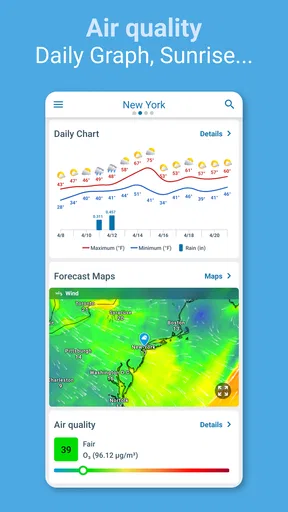
Weather - Meteored Pro News provides detailed weather forecasts, radar maps, and personalized alerts. It includes features like real-time weather updates, atmospheric pressure reports, and air quality index. Users can also access news related to weather events and receive notifications tailored to their location preferences.
Is Weather - Meteored Pro News free to use?
Weather - Meteored Pro News offers a free version with basic features. However, for advanced features such as ad-free usage, extended forecasts, and customizable notifications, users may need to purchase a subscription or one-time upgrade within the app.
How accurate is the weather forecasting in this app?
The app uses advanced meteorological data and algorithms to provide accurate weather forecasts. It sources information from reputable global meteorological agencies and offers high precision with real-time updates. Users generally find its predictions reliable, but like all forecasts, occasional inaccuracies may occur due to unforeseen weather changes.
Can I customize the notifications and alerts in Weather - Meteored Pro News?
Yes, the app allows users to customize notifications and alerts based on their preferences. You can choose to receive notifications about severe weather conditions, daily forecasts, or specific weather changes such as temperature drops or rain predictions, ensuring you only get the information you need.
Does Weather - Meteored Pro News require internet access to function?
Yes, an active internet connection is necessary for Weather - Meteored Pro News to provide real-time weather updates and news. While some basic data may be cached for offline access, most features, including live radar and forecasts, require connectivity to retrieve the latest information.


